Smart Home Features Worth Planning Before You Build
/A smart home does not have to be a house where you talk to every appliance.
For many homeowners, the best technology is actually the technology they barely notice.
The lights work the way they want them to. The thermostat adjusts easily. Wi-Fi reaches the rooms where it is needed. Cameras and doorbells have power in the right places. Music can play throughout the house. Motorized shades do not require cords running down freshly finished walls. And when a new piece of technology comes along a few years later, the house is prepared for it.
That is why one of the most important conversations about smart-home technology should happen before construction begins.
You do not necessarily need to install every smart feature now.
But if there are features you might want later, planning the infrastructure during design and construction can give you considerably more flexibility.
Start With Infrastructure, Not Gadgets
Smart-home technology changes quickly.
The infrastructure inside your walls does not.
That is an important distinction when building a custom home.
A particular thermostat, camera, speaker, television, lighting controller, or home-automation platform may eventually be replaced. Wiring, electrical service, conduit, equipment locations, and network infrastructure are much harder to change once drywall, cabinetry, ceilings, and finished surfaces are in place.
So instead of starting the conversation with:
"Which smart-home system should we buy?"
Start with:
"What might we want this house to be capable of?"
That question creates a much better foundation.
Plan the Home Network Like a Utility
Years ago, homeowners might have thought of Wi-Fi primarily as something needed for computers.
Today, the home network may support televisions, phones, tablets, thermostats, cameras, doorbells, speakers, appliances, lighting controls, security equipment, work-from-home technology, and other connected devices.
That makes network planning part of the home's infrastructure.
A single wireless router placed wherever the internet provider happens to install it may not be the ideal strategy for a large custom home.
Consider the size and layout of the house, number of floors, construction materials, outdoor living areas, home offices, media spaces, and locations where connected equipment will be used.
Even smart thermostats depend on connectivity. ENERGY STAR recommends considering the distance between a Wi-Fi thermostat and the home's router because poor connectivity can result in periodic disconnections. (energystar.gov)
For a new home, it makes sense to think about the network while you can still plan what goes behind the walls.
Do You Still Need Wired Connections in a Wireless Home?
Wireless technology is incredibly useful.
That does not mean every connection should necessarily be wireless.
A thoughtfully designed home may use a combination of wired and wireless infrastructure.
Depending on the homeowner's needs, planning may include locations for network equipment, wireless access points, televisions, offices, security cameras, audio equipment, and other devices that benefit from dedicated infrastructure.
The point is not to fill the house with unnecessary wiring.
It is to think ahead.
If you already know where the office will be, where televisions are likely to go, where exterior cameras may be mounted, or where a network access point would make sense, construction is an opportunity to plan for those locations before the walls are finished.
Core Insights
What smart-home features should be planned before construction?
Prioritize features that affect infrastructure. Network wiring, wireless access-point locations, electrical outlets, lighting controls, security wiring, cameras, thermostats, motorized shades, audio, EV charging, backup power, and future conduit are worth discussing early because they can affect what goes inside walls and ceilings.
Do you need to install all of the technology during construction?
No. Planning infrastructure and purchasing devices are two different decisions. In some cases, preparing wiring, power, conduit, or equipment locations during construction can preserve the option to add technology later.
Is Wi-Fi enough for a new custom home?
It depends on the home's size, layout, construction, devices, and performance expectations. A combination of properly planned wireless coverage and wired infrastructure may make sense.
Should smart lighting be planned before electrical work?
Yes. If you want sophisticated lighting controls, scenes, dimming, occupancy-based automation, or centralized controls, discuss those goals while the electrical and lighting plans are being developed.
Should you plan for an EV charger even if you do not own an electric vehicle?
It is worth discussing. You may decide that preparing electrical capacity or a pathway for future charging makes sense even if a charger is not installed immediately.
What is the most important part of future-proofing a smart home?
Flexibility. Technology changes. Infrastructure that gives future owners or future versions of you more options can be more valuable than trying to predict which specific device will be popular years from now.
Think About Smart Lighting Before the Switches Go In
Lighting is one of the areas where smart-home planning can have an everyday impact.
Smart lighting can allow homeowners to control lights remotely, place them on schedules, or incorporate them into automated routines. ENERGY STAR also notes that smart lighting can be controlled remotely or scheduled and may work with voice-assistant systems. (energystar.gov)
But the bigger custom-home question is not simply whether you want smart bulbs.
It is how you want the house to behave.
Maybe one button near the bedroom turns off most of the home's lights at night.
Maybe an "away" setting adjusts selected lighting when you leave.
Maybe entertaining mode creates a different lighting environment in the kitchen, dining area, and great room.
Maybe exterior lighting follows a schedule.
Maybe pathway lighting turns on differently at night.
Thinking about these experiences early allows the lighting plan, switch locations, fixture selections, controls, and electrical work to support them.
Smart Thermostats and HVAC Controls
Temperature control is another natural place for smart technology.
A smart thermostat can allow remote temperature adjustment, scheduling, occupancy-related control, usage information, and other features depending on the system.
ENERGY STAR-certified smart thermostats are independently certified using real-world data to demonstrate energy savings. ENERGY STAR also notes that compatibility with the home's heating and cooling system needs to be verified before choosing one. (energystar.gov)
There is another small detail worth planning during construction: power.
ENERGY STAR explains that many smart thermostats require consistent power and commonly receive it through a C-wire, although requirements vary by product. (energystar.gov)
That is exactly the kind of seemingly minor detail that is easier to discuss when the HVAC and electrical systems are being planned.
Security Cameras, Doorbells, Locks, and Sensors
Security technology is another category where planning ahead can create cleaner options later.
Homeowners may want:
Video doorbells
Exterior cameras
Smart locks
Door and window sensors
Motion sensors
Garage-door monitoring
Driveway cameras
Interior security equipment
Water-leak sensors
Smart smoke or safety devices
Some devices are battery powered. Others can use wired power or network connections.
Think about where cameras would actually need to see, not merely where they are easiest to install.
Front entries, garages, service doors, driveways, side yards, rear entries, patios, and other access points may all deserve consideration depending on the property.
Planning early can also help avoid a finished exterior covered with unnecessary visible cables or awkwardly located devices.
Motorized Shades and Window Treatments
This is one people frequently think about later.
Then they discover that the beautiful motorized shades they want need power.
If motorized shades are even a possibility, discuss them during design.
That is especially true for:
Large windows
Two-story spaces
Hard-to-reach windows
Primary bedrooms
Media rooms
West-facing glass
Large window walls
You may ultimately decide not to automate every shade.
The value of early planning is that you get to make that decision intentionally rather than discovering later that the infrastructure was never considered.
Whole-Home Audio
Built-in audio can be another feature worth planning before ceilings and walls are closed.
Think about where you actually listen to music.
That might include:
Kitchen
Great room
Primary suite
Primary bathroom
Lower-level entertainment area
Home gym
Screen room
Patio
Pool area
Garage
The design conversation should also include where equipment will live and how it will be accessed for future service or replacement.
Technology should not require sacrificing the clean architecture of the room.
When planned correctly, speakers and controls can become part of the home rather than looking like equipment added afterward.
Television and Media Locations
You do not need to know which television you will own ten years from now.
You should probably know where you expect televisions to go today.
Planning those locations can influence:
Electrical outlets
Network connections
Cable pathways
Sound systems
Mounting
Equipment storage
Fireplace design
Built-ins
Future access
This becomes particularly important when a television is mounted above a fireplace or incorporated into custom cabinetry.
A beautiful feature wall can quickly become less beautiful when cords and equipment have nowhere to go.
Do Not Forget the Outdoors
Smart-home planning should not stop at the exterior wall.
Modern custom homes often treat outdoor spaces as extensions of the interior.
Think about technology you may eventually want around:
Covered patios
Screen rooms
Outdoor kitchens
Pools
Detached structures
Driveways
Landscape lighting
Exterior speakers
Gates
Security cameras
Wi-Fi coverage
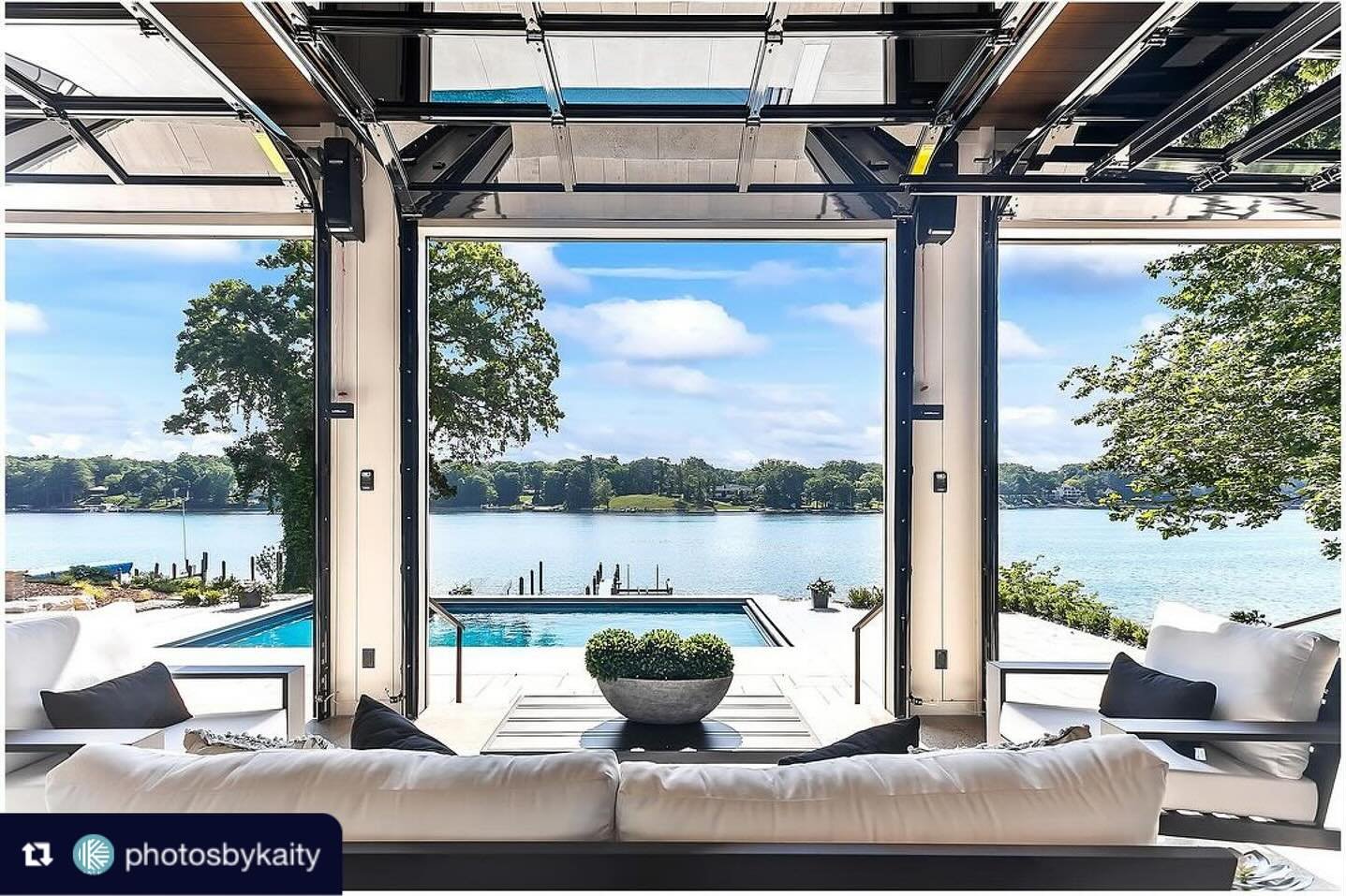
Celebrity Builders has incorporated substantial outdoor living features into its custom projects, including screen rooms and entertaining spaces. Planning technology alongside those spaces can make the transition between indoors and outdoors more seamless.
Explore Celebrity Builders' portfolio
EV Charging Is Worth Discussing Early
You may own an electric vehicle now.
You may be considering one.
Or you may have no plans to buy one at all.
It can still be worth discussing EV charging while designing the electrical system and garage.
The U.S. Department of Energy notes that many EV owners charge at home and that Level 2 charging typically requires dedicated electrical equipment and installation. Electrical capacity, charger location, parking arrangement, and the route between the electrical panel and garage can therefore become relevant planning considerations.
Learn about home EV charging from the U.S. Department of Energy
The goal is not necessarily to install a charger you do not need.
It is to ask whether preparing for one now makes sense.
Backup Power and Energy Management
Smart-home planning increasingly overlaps with energy planning.
Some homeowners may want to discuss:
Standby generators
Battery storage
Solar readiness
Electrical-panel capacity
Load management
Energy monitoring
EV charging
Critical circuits during outages
Not every home needs all of these.
But if backup power or future energy technology matters to you, those goals should be part of the electrical conversation rather than introduced after the home has already been designed.
Smart Kitchens and Appliances
Connected appliances can offer useful features, but this is one area where we would be careful about designing the house around a particular gadget.
Appliances change.
Software changes.
Platforms change.
The kitchen itself should last much longer.
Instead, focus on getting the underlying design right:
Proper electrical service
Outlet locations
Appliance dimensions
Ventilation
Network availability where useful
Cabinetry planning
Lighting
Charging locations
Flexibility for future replacement
ENERGY STAR notes that connected appliances can provide remote management and additional energy-management functionality depending on the product. (energystar.gov)
Those capabilities may evolve.
A well-designed kitchen should be able to evolve with them.
What About Voice Control?
Voice assistants can be convenient, but they should not be the foundation of the entire smart-home plan.
A house should still be intuitive when someone does not have a phone in their hand or does not want to speak a command.
That means thinking about physical controls too.
Can a guest turn on the lights?
Can someone adjust the temperature normally?
What happens if the internet connection is temporarily unavailable?
What happens when a particular device or platform is eventually replaced?
Good technology should add convenience without making ordinary functions unnecessarily complicated.
Cybersecurity Belongs in the Smart-Home Conversation
Every connected device adds another technology relationship to the home.
That means homeowners should think about security as well as convenience.
Use strong, unique passwords. Enable multifactor authentication when available. Keep device software updated. Replace devices that are no longer receiving necessary security support. Consider how connected devices are organized on the home network.
The Cybersecurity and Infrastructure Security Agency recommends practices such as strong passwords, multifactor authentication, software updates, and securing home networks to reduce risks associated with connected devices.
Smart-home planning should therefore include not only:
"What can this device do?"
but also:
"How will we maintain it?"
Should Everything Use the Same Smart-Home Platform?
There is something appealing about having one app control everything.
But homeowners should be cautious about allowing today's software ecosystem to dictate permanent architectural decisions.
Platforms change.
Companies change.
Standards evolve.
Products are discontinued.
Your house will probably outlive several generations of smart-home technology.
That is why we would prioritize robust infrastructure and interoperability over chasing the newest device.
A custom home should be ready for technology without becoming dependent on one moment in technology.
What Should You Plan Now Even If You Install It Later?
This may be the most useful smart-home question of all.
You may decide to install only a portion of your wish list initially.
That does not mean you cannot prepare for the rest.
Depending on the home and future plans, that conversation might include:
Extra conduit
Electrical capacity
Strategic outlets
Network cabling
Wireless access-point locations
Camera locations
Speaker wiring
Shade power
EV charging preparation
Future television locations
Security infrastructure
Backup-power planning
An empty conduit or thoughtfully placed connection is not exciting during construction.
Five years later, it might be exactly what makes an upgrade simple.
Smart Technology in a Renovation
Planning matters just as much during a major renovation.
In some ways, it matters even more.
Once walls or ceilings are opened, homeowners may have a rare opportunity to improve infrastructure that was never designed for today's technology.
That can be a good time to evaluate:
Network wiring
Wi-Fi coverage
Electrical capacity
Lighting controls
Security
Audio
Television wiring
Thermostat wiring
Shade power
EV charging
Backup power
Future conduit
The goal is not to turn a renovation into an excuse to add every possible feature.
It is to recognize opportunities while access exists.
Plan Technology Around the Way You Live
Celebrity Builders begins its custom-home process by learning about the homeowner's lifestyle, goals, wish list, budget, and desired features before moving through architectural design and material selections.
See the Celebrity Builders building process
That approach makes particular sense with technology.
A family that works from home may prioritize network reliability and office infrastructure.
Someone who entertains frequently may care more about lighting scenes, whole-home audio, outdoor connectivity, and media.
A homeowner who travels frequently might prioritize remote security, locks, cameras, thermostats, and leak detection.
Someone planning to remain in the home long term may want to think more deeply about future accessibility, simplified controls, backup power, and technologies that can support changing needs.
The smartest home is not necessarily the one with the most technology.
It is the one where the technology supports the people living there.
Frequently Asked Questions About Smart-Home Planning
When should smart-home planning begin?
Ideally, during the design process and before electrical, HVAC, low-voltage, lighting, and framing decisions are finalized. Features that affect wiring, power, equipment locations, or infrastructure are generally easier to address before walls and ceilings are finished.
Do I need to know which smart-home brand I want before building?
Not necessarily. In many cases, planning the infrastructure and capabilities you want is more important than committing early to every device or platform.
Is it worth installing network cable in a new home?
Depending on the home's size and technology needs, wired network infrastructure can complement Wi-Fi and provide options for televisions, offices, cameras, wireless access points, and other connected equipment.
Should I prewire for motorized shades?
If motorized shades are a realistic possibility, especially on large or difficult-to-reach windows, discussing power and control requirements during construction can preserve options later.
Should I prepare my garage for an EV charger?
It is worth discussing even if you do not currently own an electric vehicle. Electrical capacity, charger location, parking arrangement, and future wiring routes can be easier to consider while the home's electrical system is being designed.
Are smart thermostats actually useful?
They can provide remote control, scheduling, occupancy-related features, usage information, and energy-management capabilities. ENERGY STAR-certified smart thermostats must demonstrate energy savings using real-world field data. (energystar.gov)
What happens when smart-home technology becomes outdated?
Devices can be replaced. That is one reason infrastructure and flexibility are so important. A home designed around adaptable wiring, power, networking, and accessible equipment locations can be better positioned for future technology.
Build the House for Today. Prepare It for Tomorrow.
Nobody knows exactly what home technology will look like ten or twenty years from now.
And that is precisely why good smart-home planning should not be about predicting the future.
It should be about creating options.
Put power where it may be needed.
Think about connectivity before the walls close.
Plan lighting around how you actually live.
Consider cameras before the exterior is finished.
Think about EV charging while the electrical system is being designed.
Decide whether motorized shades, audio, backup power, or outdoor technology could eventually matter.
Then install the technology that makes sense for your life today.
Celebrity Builders has been creating custom homes in West Michigan since 2003, with a process that brings homeowner priorities, architectural design, materials, specifications, and construction planning together from the beginning.
Smart-home technology should be approached the same way.
Not as a collection of gadgets.
As another part of designing a home around you.
Schedule your design consultation today.
Start your conversation with Celebrity Builders
Authoritative Resources
ENERGY STAR: Smart Home Tips
https://www.energystar.gov/products/smart_home_tips
ENERGY STAR provides guidance on smart-home energy management, lighting, connected appliances, smart thermostats, and related technologies. (energystar.gov)
ENERGY STAR: Smart Thermostats
https://www.energystar.gov/products/smart_thermostats
ENERGY STAR explains smart-thermostat functionality, compatibility considerations, connectivity, certification, and verified energy performance. (energystar.gov)
U.S. Department of Energy: Electric Vehicle Charging at Home
https://www.energy.gov/energysaver/electric-vehicle-charging-home
The Department of Energy provides homeowner information about residential EV charging and charging equipment.
Celebrity Builders: Our Process
https://celebritybuildersllc.com/process
Celebrity Builders explains how lifestyle, priorities, architectural design, material selections, specifications, budgeting, and construction planning come together during the custom-home process.
Hello, World!